The engine you ship, not the one the device happens to have
On dedicated hardware the system WebView is a liability: it is replaced underneath your app, it differs across every model in the fleet, you cannot state what it contacts, and on cheap or old units it is ancient and unupdatable. Cefrium puts a full Chromium engine inside your APK, so the kiosk renders the same way everywhere and changes only when you publish.
Four properties that become incidents on dedicated hardware
- It is not pinned. The OEM or Play updates the WebView underneath a shipped app, so a certified payment flow can change engine on a Tuesday with no deploy of yours.
- It is not uniform. Ten kiosk models, ten WebView versions, several vendor-patched. Your QA matrix is the fleet.
- It is not auditable. "What does this binary contact?" is a compliance question on a payment device -- PCI-DSS scoping, network allowlisting -- and you cannot answer it for an engine you do not control.
- On old hardware it is ancient. And it cannot be updated without touching a device that may be bolted to a wall or sitting in a car.
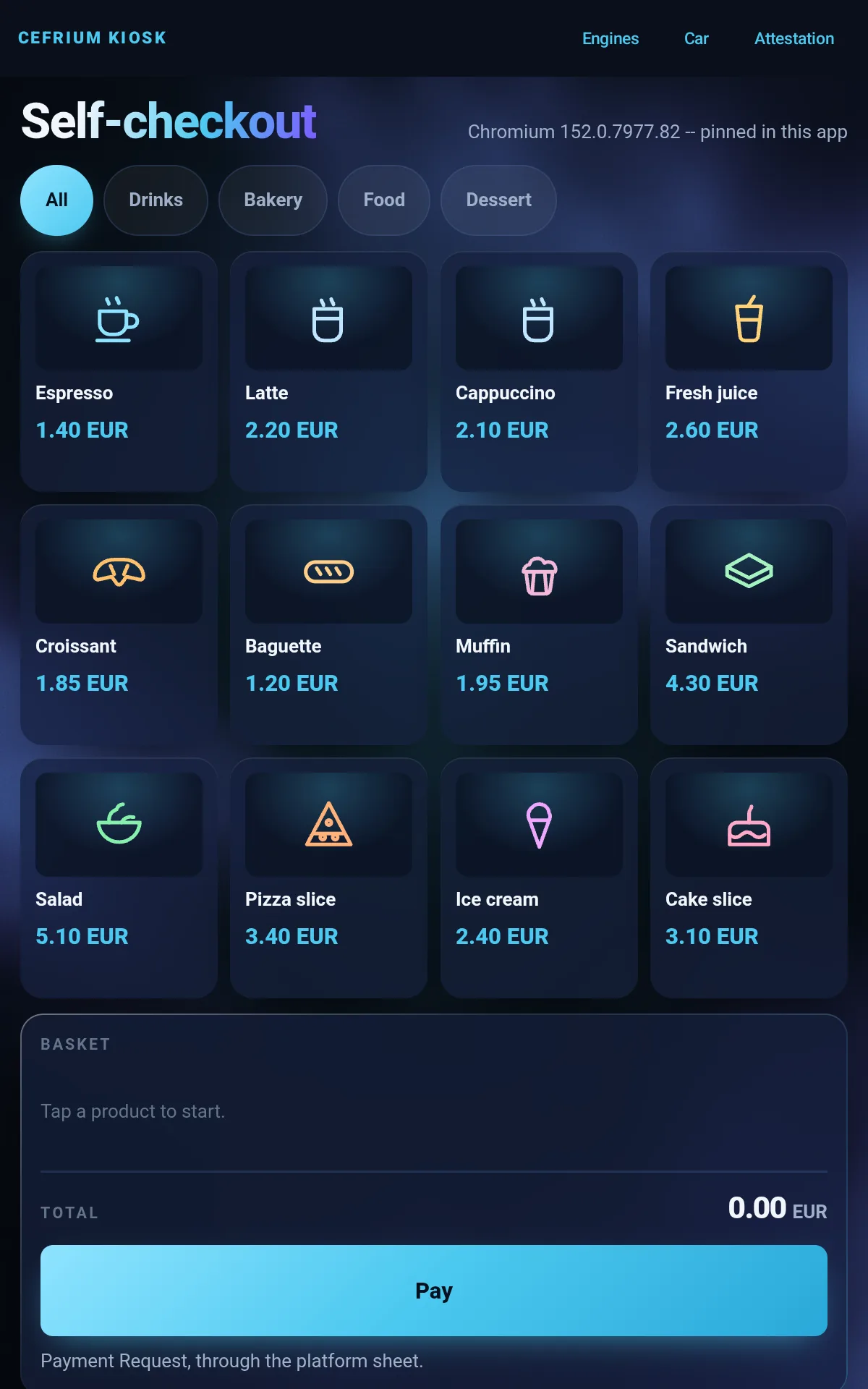
A kiosk whose UI is a page, in a native shell
That split is how real kiosks are built, and it is the point: the customer-facing UI changes weekly -- prices, promotions, seasons, languages -- while the shell (screen pinning, peripherals, provisioning, update channel) barely changes. Update a fleet by publishing a page, not by shipping an APK to hardware you may not reach.
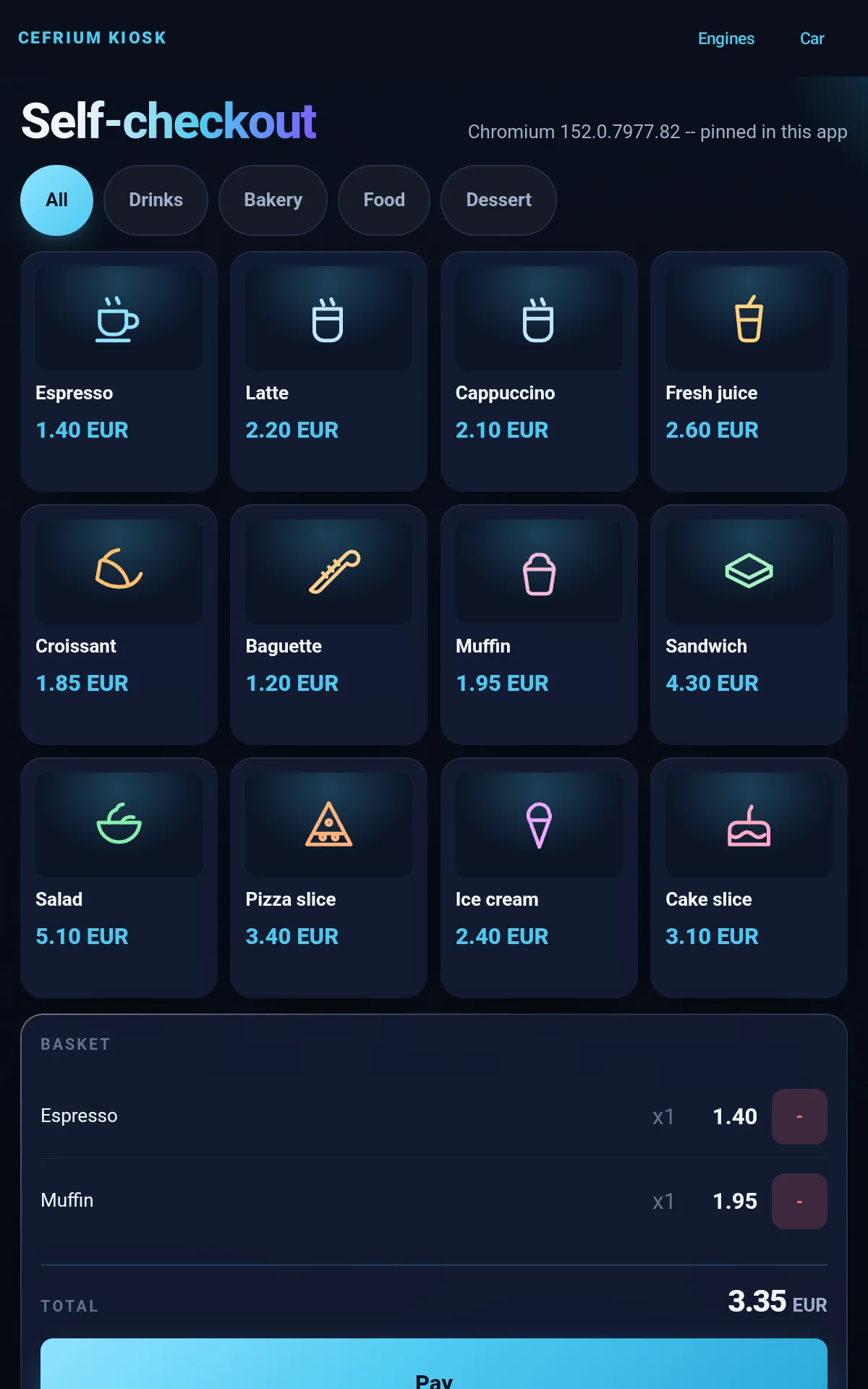
- Payment Request through the platform sheet
- Screen pinning so a customer cannot leave the app
- No image files or webfonts: works offline, APK stays small
Run the comparison yourself
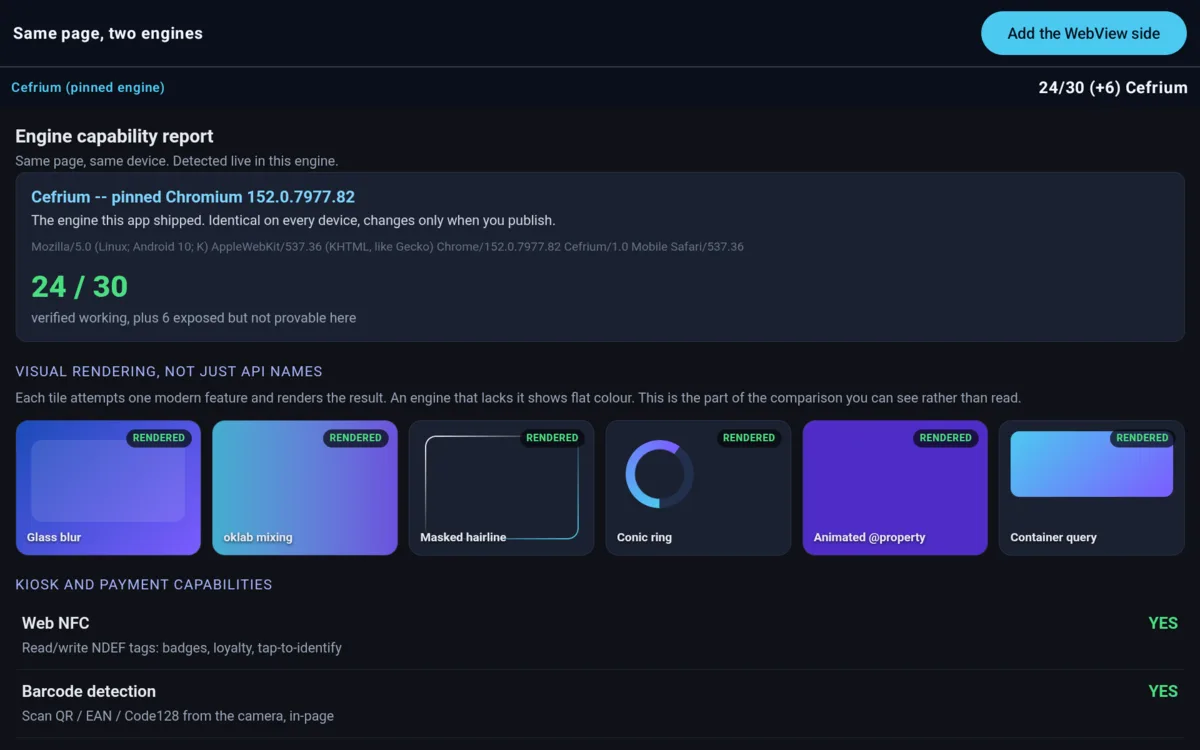
One page, two engines, same device, same moment. The page detects its own capabilities, so nothing is asserted by the app. Rows that need a gesture or a permission render a VERIFY button instead of a verdict -- tap it and watch the probe resolve.
Measured on a tablet in October 2026. The argument is predictability, not freshness: the engine only changes when you publish, so a fleet renders identically whatever each unit happens to carry. Freshness becomes an argument too on the old hardware kiosks actually run on, where the WebView stopped updating years ago and cannot be updated.
The comparison page deliberately uses conservative CSS. If it used the latest features it would fail on an old WebView and measure the author's stylesheet instead of the engines.
Old tablets become head units
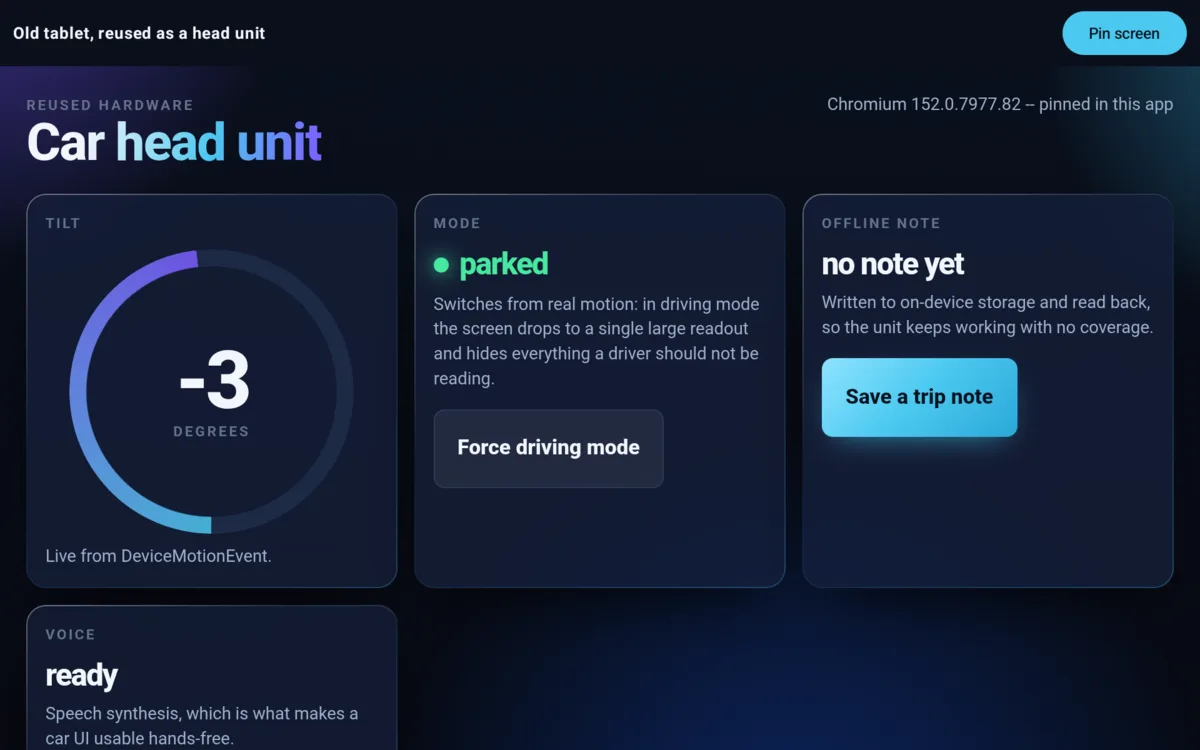
This is where a pinned engine stops being a preference. An obsolete tablet's WebView cannot be updated, so whatever shipped with the device is what a web UI gets, forever. Cefrium carries its own engine, so a modern interface runs on hardware the platform gave up on.
- Live motion readings drive a driving mode that sheds everything a driver should not be reading
- Speech synthesis for hands-free status
- Offline storage, because coverage is not a given
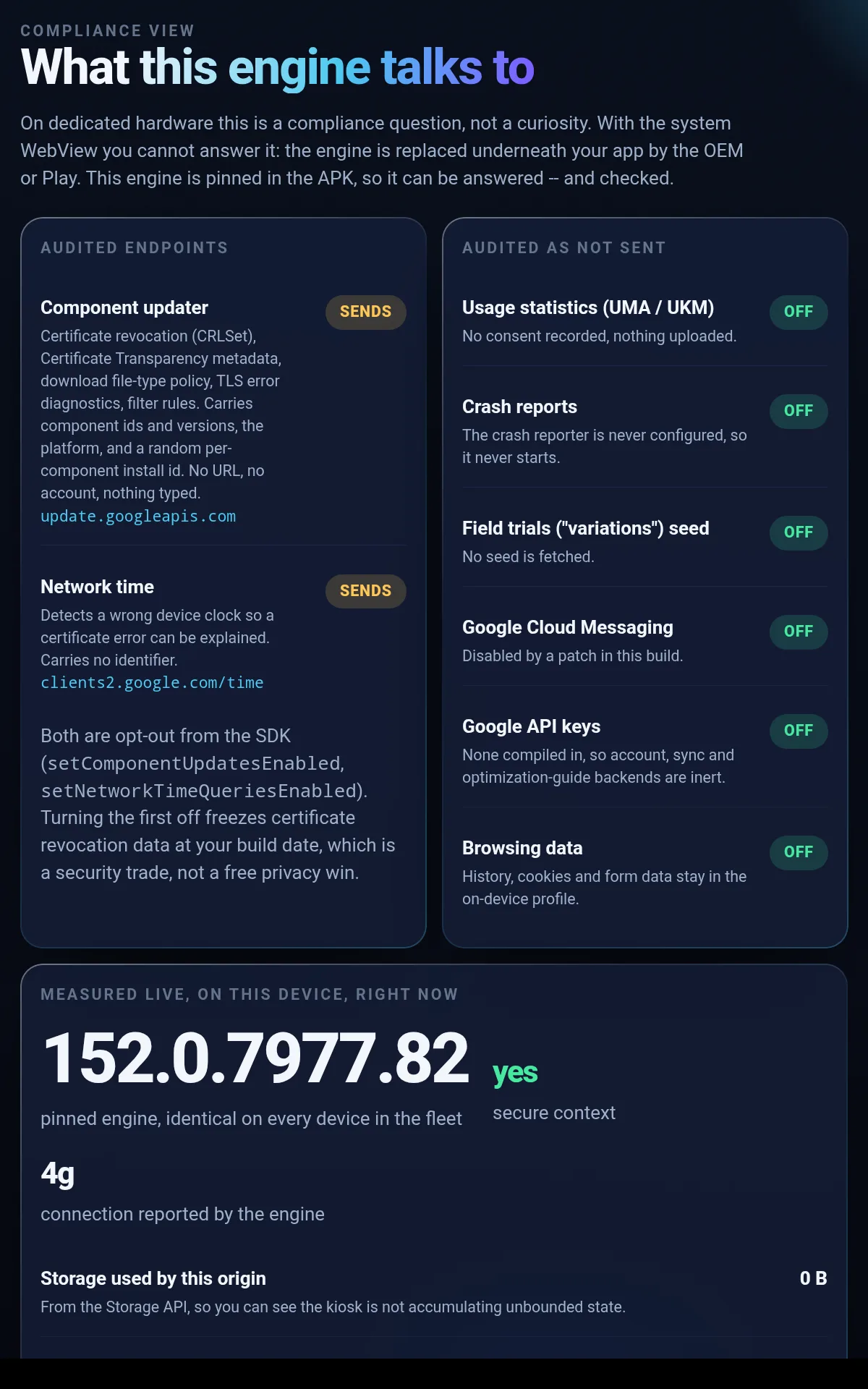
Answer "what does it contact?" on the device
The engine contacts exactly two endpoints that are not your app's own traffic, and both are documented and opt-out. The screen keeps the audited list and the live measurements visually separate on purpose, so nobody assumes the audit is as fresh as the measurement.
- No usage statistics, no crash uploads, no field-trial seed, no Google API keys compiled in
- Both outbound calls switchable from the SDK, with the security cost documented rather than buried
Run the kiosk in about five minutes
1. Build and install
git clone https://codeberg.org/cefrium/cefrium-sample
cd cefrium-sample/kiosk-pos
./gradlew assembleDebug
adb install -r app/build/outputs/apk/debug/app-debug.apk
The sample pulls the SDK from the Maven registry, so there is nothing else to fetch. JDK 25 is required.
2. Open each screen
P=com.cefrium.pos
adb shell am start -n $P/.POSActivity
adb shell am start -n $P/.EngineCompareActivity
adb shell am start -n $P/.CarKioskActivity
adb shell am start -n $P/.AttestationActivity
The comparison screen opens the Cefrium side; its button adds the system-WebView side alongside it in split screen.
3. Point it at your own UI
CefriumWebView(
    url = "https://kiosk.example.com",
    modifier = Modifier.fillMaxSize()
)
That is the whole integration. The shell keeps the device concerns; your page keeps the interface.
4. Lock it down
startLockTask() // screen pinningScreen pinning is what makes a kiosk deployable: a customer or passenger cannot leave the app. Without device-owner provisioning Android asks for confirmation the first time; a provisioned fleet device pins silently.
Known limits, stated here rather than discovered later
- Web Serial has no Android backend. Its chooser opens and stays empty, so a serial receipt printer or cash drawer is not addressable from the page today. Web Bluetooth and WebUSB work, with a chooser your app supplies.
- Signing in with a passkey held by a third-party password manager is blocked by Google's privileged-app allowlist. Creating passkeys works.
- The Generic Sensor API activates but delivers readings unreliably on
this port; use
DeviceMotionEvent, which works. - A Cefrium browser is heavy. It is a full Chromium engine with its own multi-process model, not a lightweight view. Budget memory accordingly and read the memory guide.
Building a kiosk, a POS or an in-vehicle unit?
If you need a signed statement of a release's network behaviour, or a validated configuration for an air-gapped deployment kept current with security updates, get in touch.